

If your business runs on shifts, field crews, or time sensitive coverage, you already know the real challenge is not “making a schedule.” The challenge is keeping it accurate when reality changes every hour. Sick calls happen. Jobs run late. Weather disrupts plans. Managers need fast answers, and teams need clear updates without confusion. That is where NS Crewcall style operations become interesting from a business perspective: one system that connects scheduling, callouts, confirmations, and real time updates so work keeps moving.
- What is NS Crewcall in simple business terms
- Why crew scheduling systems matter for operations
- The operational problems NS Crewcall is designed to reduce
- How NS Crewcall streamlines scheduling step by step
- Scheduling and updates are also a safety system
- Business benefits you can actually measure
- Key features businesses typically need in an NS Crewcall style system
- A realistic scenario: before and after NS Crewcall style scheduling
- Common questions people ask about NS Crewcall
- Implementation mindset: what makes crew systems succeed
- The bigger picture: operations, safety culture, and trust
- Conclusion: why NS Crewcall matters as a business operations model
In this article, we will break down what NS Crewcall is in practical terms, why systems like it matter for modern operations, and how a centralized crew calling and scheduling workflow can reduce delays, improve compliance, and support smoother day to day execution.
What is NS Crewcall in simple business terms
NS Crewcall is widely referenced as an internal crew management and communication system used in railroad operations to coordinate shift assignments and notifications for crew members. In practice, it functions like an operations nerve center: a structured way to match available qualified people to time sensitive work, then push reliable updates when schedules change.
Official Norfolk Southern employee resources point to “Crew Call” as a function accessed through employee portals, which signals that crew calling and schedule communication is handled as a formal internal workflow, not an informal manager by manager process.
From a business viewpoint, the value is not the label. The value is the operating model: standardized scheduling logic, controlled access, consistent notifications, and a record of updates so teams are not relying on guesswork.
Why crew scheduling systems matter for operations
Crew based operations share the same headache across industries:
- Demand changes fast
- The “right person” is defined by skills, certifications, and availability
- Coverage gaps are expensive
- Miscommunication creates delays, overtime, and safety risks
Railroad operations make this even more intense because work is 24/7 and tightly linked to safety critical rules around fatigue risk and staffing. Regulators emphasize fatigue risk management programs and analysis of fatigue related hazards, which makes scheduling and callout discipline more than a productivity issue. It becomes a compliance and safety issue.
That same principle applies to other businesses too, even if the regulations are different. When you schedule people poorly, performance drops, errors rise, and turnover increases.
The operational problems NS Crewcall is designed to reduce
Even if you are not in rail, the “problem set” is familiar. Systems like NS Crewcall are built to reduce these common failures:
1) Manual scheduling errors
Spreadsheets and group chats break down when:
- Multiple supervisors edit the same schedule
- Last minute changes are not seen by everyone
- Old versions get forwarded
- A person shows up for the wrong shift or location
Centralized crew systems reduce version confusion because there is one source of truth.
2) Slow callouts and missed coverage
In crew based work, speed matters. A delayed callout can cause:
- Late starts
- Idle equipment
- Missed service windows
- Domino effect delays for the next shift
A structured crew call workflow focuses on faster notification and faster confirmation.
3) Qualification mismatches
Some roles require:
- Specific certifications
- Route or site familiarity
- Equipment specific training
- Seniority rules or union constraints
A serious scheduling system enforces eligibility rules instead of hoping managers remember every detail.
4) Fatigue and rest time risk
Fatigue is not just a “wellness” topic in safety critical industries. It is a recognized risk area with formal programs and expectations around managing it. The NTSB highlights fatigue risk management programs as a comprehensive approach that includes scheduling practices, education, and policies.
Freight rail scheduling practices and fatigue have also been studied in the research literature, emphasizing that scheduling practices can contribute to fatigue risk.
This matters because a good scheduling system does not only help you fill shifts. It helps you avoid creating unsafe and unstable work patterns.
How NS Crewcall streamlines scheduling step by step
Let’s translate the idea into a practical workflow you can picture. A typical crew calling system is built around a few repeatable steps.
Step 1: Capture availability and constraints
The system needs to know:
- Who is available now
- Who is in a rest period
- Who is already assigned
- Who is qualified for which work
In regulated environments, constraints may include fatigue risk management requirements and hours related rules, which is why the “rest and availability” logic is foundational to scheduling discipline.
Step 2: Match work demands to the best eligible crew
Operational needs can be:
- Planned work (scheduled runs, planned maintenance)
- Unplanned work (disruptions, delays, urgent coverage)
A centralized system supports consistent decision making by using the same rules each time, rather than shifting based on who is managing that day.
Step 3: Send callouts and track responses
The value is not just sending a message. It is tracking:
- When a callout was delivered
- Whether it was confirmed
- Whether it expired
- What backup plan triggered next
This is where operations get calmer. You stop wondering “did they see it?” because the system makes it visible.
Step 4: Push updates as conditions change
Updates are the difference between a schedule and an operation.
Delays, swaps, cancellations, and reassignments are normal. A crew system that supports real time updates reduces the gap between what managers think is happening and what is actually happening.
Step 5: Create an auditable record
This matters for:
- Dispute resolution
- Payroll or timekeeping alignment
- Performance review
- Compliance checks
In a mature operation, history is not a burden, it is protection.
Scheduling and updates are also a safety system
This is the part many businesses underestimate.
When scheduling is inconsistent, people get surprised. Surprises cause rushing. Rushing causes shortcuts. And shortcuts create incidents.
In rail operations, fatigue management is repeatedly emphasized by safety bodies and regulators, and scheduling practices are part of that picture.
Even outside rail, the principle holds: clear scheduling and timely updates reduce the mental load on workers, which improves performance.
Business benefits you can actually measure
A system like NS Crewcall creates benefits that show up in dashboards, not just in “good feelings.”
Reduced downtime and faster starts
When callouts and confirmations are faster, equipment sits idle less. That can reduce:
- Late starts
- Missed delivery windows
- Customer escalations
Lower overtime driven by chaos
Overtime is not always bad. But “panic overtime” is expensive and usually preventable.
A good scheduling system reduces the last minute scramble that causes:
- Double coverage
- Long extensions
- Rework due to miscommunication
Fewer missed shifts and fewer no shows
No shows often come from:
- Confusing updates
- Old schedules
- Poor confirmation processes
When confirmations are tracked, accountability becomes clearer on both sides.
Better workforce planning
Once you can see patterns, you can plan:
- Peak demand staffing
- Training needs by qualification
- Hiring priorities by location
Planning stops being a guess.
Key features businesses typically need in an NS Crewcall style system
If you are evaluating or modeling a crew scheduling system, these are the features that tend to matter most.
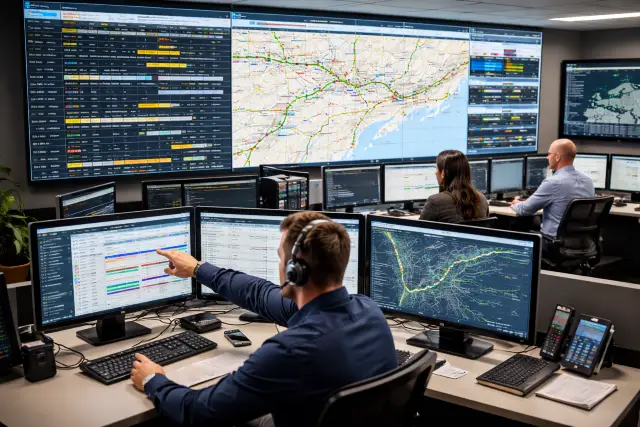
Central dashboard
A live view of:
- Open shifts
- Coverage status
- Delays and changes
- Who is on call and who is unavailable
Role and qualification rules
Scheduling should respect:
- Skill requirements
- Certification expiry
- Location constraints
Automated callouts with escalation
Escalation matters because coverage is time sensitive.
Example escalation logic:
- Offer shift to primary qualified group
- If no confirmation in X minutes, notify backup group
- If still unfilled, alert supervisor for manual action
Real time notifications
Notifications should be:
- Consistent
- Fast
- Clear about what changed and what action is needed
Audit and reporting
A solid reporting layer supports:
- Coverage reliability
- Response time tracking
- Overtime root cause analysis
- Staffing forecast
A realistic scenario: before and after NS Crewcall style scheduling
Here is a simple example you can relate to, even if you are not in rail.
Before: manual scheduling chaos
- Supervisor texts a worker about a shift swap
- Another supervisor updates a spreadsheet later
- A third person is still working from yesterday’s version
- The wrong person arrives, the right person stays home
- The job starts late, overtime is needed to catch up
After: centralized callout and update flow
- The system assigns the shift to eligible staff
- The first choice declines within the app
- The system escalates to the next eligible person
- Confirmation is recorded
- Everyone sees the same updated schedule in real time
That is the difference between “we made a schedule” and “we ran an operation.”
Common questions people ask about NS Crewcall
Is NS Crewcall a public scheduling app anyone can use
No. It is commonly discussed as an internal system tied to an organization’s employee access and resources. Norfolk Southern’s employee resources include portal based access and references to crew call functions, indicating it is not designed for public use.
Why do rail style crew systems put so much focus on rest and fatigue
Because fatigue is recognized as a safety risk in transportation. Regulators require fatigue risk management programs for certain railroads, and safety bodies emphasize fatigue risk management approaches that include scheduling practices.
What does “streamlining operations” actually mean here
It means reducing friction in three areas:
- Faster staffing decisions
- Clearer communication during changes
- Better records and visibility for managers
Implementation mindset: what makes crew systems succeed
Even the best software fails if the rollout is sloppy. Businesses that succeed with crew scheduling systems usually do three things well.
1) They standardize the rules before they automate them
If every manager has different “rules,” the system becomes a battleground. Agree on the basics:
- Who gets called first and why
- How long confirmations can take
- What counts as a valid decline
- What escalation looks like
2) They train for real world chaos, not ideal conditions
Training should cover:
- Late changes
- Emergency callouts
- Device issues and backup workflows
- How to handle disputes using system records
3) They track a few metrics that matter
Start with a simple scorecard:
- Time to fill open shifts
- No show rate
- Overtime hours tied to last minute coverage
- Number of schedule changes per week
- Average confirmation time
You will quickly see where the pain really is.
The bigger picture: operations, safety culture, and trust
A crew system is also a trust system. Workers want predictability. Managers want reliability. The organization wants compliance and performance. When scheduling is transparent and updates are consistent, everyone spends less time arguing and more time executing.
In transportation industries, fatigue and scheduling have been treated as safety priorities for years, with regulators and safety organizations emphasizing formal fatigue risk management and better scheduling practices.
Systems like this are especially valuable in any railroad style environment where timing, staffing, and safety expectations intersect.
Conclusion: why NS Crewcall matters as a business operations model
The reason NS Crewcall gets attention is not because it is trendy. It is because it reflects what modern operations need: one coordinated system that ties staffing decisions to real time updates, eligibility rules, and a clear record of what happened.
If your organization struggles with missed shifts, confusing updates, coverage gaps, or overtime caused by poor coordination, the core lesson is simple. Centralize scheduling logic. Standardize communication. Track confirmations. Make updates visible to everyone. That is how you turn scheduling into an operational advantage instead of a daily fire drill.