


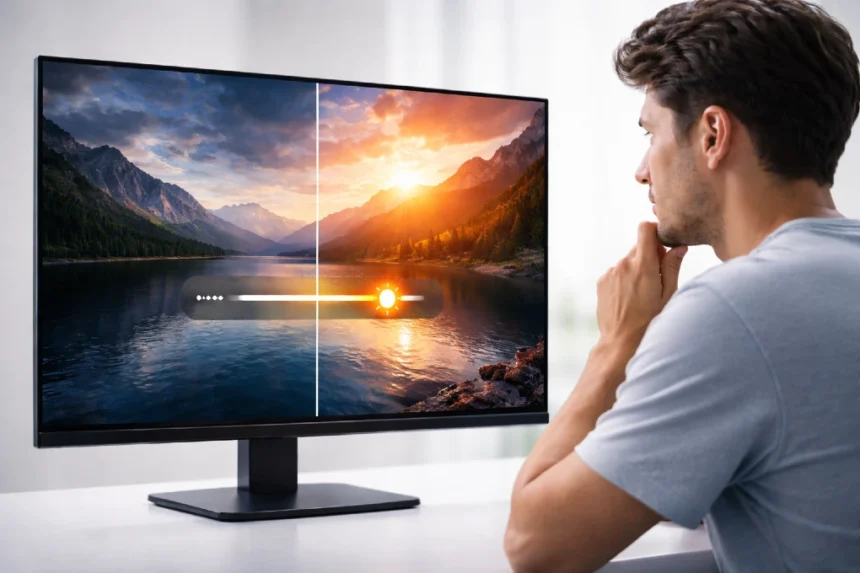
If you have ever looked through a monitor spec sheet and noticed a giant number next to DCR, you are not alone. A lot of buyers see terms like 10,000,000:1 or 80M:1 and assume that bigger must automatically mean better. The reality is a little more nuanced. What is DCR on a monitor is one of the most common questions people ask when comparing screens, especially for gaming, office work, content watching, and general home use.
- What Does DCR Mean on a Monitor?
- Why Manufacturers Advertise DCR So Heavily
- DCR vs Static Contrast Ratio
- How DCR Works in Real Life
- Does DCR Actually Improve Display Quality?
- Is DCR Good for Gaming?
- Is DCR Important for Movies and Streaming?
- DCR and HDR Are Not the Same Thing
- What Matters More Than DCR When Buying a Monitor?
- A Real-World Example of Why DCR Can Be Misleading
- Should You Turn DCR On or Off?
- Frequently Asked Questions About DCR on a Monitor
- Final Thoughts
DCR stands for Dynamic Contrast Ratio. In simple terms, it refers to a monitor’s ability to adjust brightness dynamically depending on what is being shown on the screen. Manufacturers describe it as a way to make bright scenes look brighter and dark scenes look deeper by changing backlight behavior or image processing on the fly. ASUS describes its own version of this feature as a system that adjusts brightness according to content, while ViewSonic says dynamic contrast adds more definition to the darkest and brightest colors on screen.
That sounds impressive, and sometimes it can help in movies or casual media playback. But DCR is also one of the most misunderstood display specs because it is not the same thing as a monitor’s native or static contrast ratio. A display can advertise an extremely high DCR figure while still having an ordinary native contrast ratio. HP product pages, for example, show monitors with a static contrast ratio such as 1500:1 alongside a much higher dynamic contrast ratio such as 10,000,000:1, which clearly shows these are separate measurements.
So, when people ask what DCR on a monitor means, the real answer is this: it is a marketing-facing spec that describes dynamic image adjustment, not a direct measure of the panel’s true black depth in normal use. That does not make it useless, but it does mean you should interpret it carefully.
What Does DCR Mean on a Monitor?
DCR, or Dynamic Contrast Ratio, measures the difference between the brightest white and darkest black a monitor can present when the display is allowed to change brightness dynamically over time rather than maintaining a fixed output in a single static scene. That distinction matters a lot.
A normal contrast ratio, often called static contrast ratio or native contrast ratio, is based on the panel’s actual ability to display bright and dark content at the same time. Lenovo’s explanation of contrast ratio defines it as the difference between the brightest and darkest parts of a display, while LG Display describes contrast ratio as the relationship between maximum luminance and minimum brightness.
Dynamic contrast works differently. Instead of relying only on the panel’s inherent capability, it changes the brightness or backlight behavior depending on the content. In a dark scene, the display may dim parts of the image or the overall backlight to make blacks appear deeper. In a bright scene, it may raise brightness to create a stronger sense of punch. ASUS explicitly says its smart contrast system adjusts brightness according to content, and ViewSonic says its dynamic contrast is intended to add depth and definition to dark and bright areas.
This is why DCR numbers often look enormous compared with static contrast ratios. A monitor might show a native contrast ratio around 1000:1 or 1500:1, yet advertise a dynamic contrast ratio in the millions. Dell product literature and HP specifications both show that gap clearly.
Why Manufacturers Advertise DCR So Heavily
The short answer is simple. Bigger numbers get attention.
When shoppers compare monitors quickly, a spec like 80M:1 looks more impressive than 1000:1, even though the second number often tells you more about real-world picture quality. That is one reason what is DCR on a monitor has become such a common search query among buyers trying to understand whether these large contrast figures actually reflect better screen performance. ViewSonic product pages prominently feature dynamic contrast figures such as 80M:1, while HP lists dynamic contrast separately from the monitor’s standard contrast ratio.
That does not mean manufacturers are being dishonest. It means DCR is being presented in a way that sounds more decisive than it really is. Dynamic contrast can improve how certain content looks under certain conditions, but it is not a perfect apples-to-apples measure between brands because each company may implement it differently. ASUS even uses its own branding, ASCR, for a similar idea.
For buyers, the practical takeaway is that DCR should never be the first or only display spec you trust.
DCR vs Static Contrast Ratio
This is where most confusion begins, and it is the most important part of understanding what is DCR on a monitor.
Here is a simple comparison:
| Spec | What it represents | Why it matters |
|---|---|---|
| Static or Native Contrast Ratio | The panel’s real contrast capability at a fixed setting | More useful for everyday picture quality |
| Dynamic Contrast Ratio | Contrast created or enhanced by automatic brightness changes | Can affect movies and dark scenes, but less reliable for comparison |
Static contrast is usually the better indicator for real display performance because it reflects how well the panel itself can show deep blacks and bright whites without constantly adjusting the image. Rtings defines contrast ratio as the difference between the luminance of the brightest white and darkest black a monitor can produce, and notes that higher contrast typically means deeper blacks, which matter especially in dark scenes.
DCR, on the other hand, is more like an enhancement layer. It can make content appear richer in some situations, but it does not change the basic nature of the screen’s panel technology.
That is why two monitors can both advertise massive DCR values while still looking very different in real use. A monitor with a stronger native contrast ratio will often look better, especially in a dim room, even if its DCR figure is smaller on paper.
How DCR Works in Real Life
Most implementations of DCR analyze the content on screen and then modify backlight output, brightness behavior, or image processing accordingly. If you are watching a dark movie scene, the display may dim overall output to make the image feel more cinematic. If you switch to a bright outdoor scene, it may increase brightness again.
This can be useful for video playback because movies and TV content naturally move through different lighting conditions. ASUS states that its dynamic contrast feature is especially effective during video and movie playback.
In day-to-day use, though, DCR can be hit or miss. If you are browsing the web, editing documents, or working with mixed windows, rapid brightness shifts may feel distracting. Some users also prefer to disable dynamic contrast because they want a more stable image rather than one that changes based on scene content. HP support discussions even show users specifically looking for ways to turn dynamic contrast off and keep it off.
That is a clue in itself. A feature can exist and still not be ideal for every workflow.
Does DCR Actually Improve Display Quality?
Yes, sometimes. No, not always.
That is the honest answer.
DCR can improve the perceived depth of an image, especially during video playback, dark scenes, and some gaming moments where the monitor has time to adapt smoothly. Manufacturer descriptions from ViewSonic and ASUS both frame dynamic contrast as a way to produce better dark levels, sharper images, and more vivid visuals.
But perceived quality is not always the same as accurate quality.
If you care about color consistency, image stability, photo editing, design work, or precise black levels, DCR may actually get in the way. Because the display is changing brightness dynamically, you may not be seeing a stable representation of the image. For that reason, many professionals pay more attention to panel type, native contrast, brightness, color gamut, and calibration rather than DCR alone. VESA’s DisplayHDR standards, for example, focus on broader display performance criteria tied to brightness, contrast reproduction, and color behavior rather than simple marketing-style dynamic contrast claims.
So yes, DCR can make a screen look more dramatic in the right situation. But no, it is not the best single indicator of true display quality.
Is DCR Good for Gaming?
For casual gaming, DCR can sometimes make dark and bright scenes feel more dramatic. Racing games, adventure titles, and cinematic single-player games may benefit from the added visual punch.
For competitive gaming, it is more complicated.
Fast-paced games demand consistency. If brightness is shifting while you play, it can be distracting, especially in titles where spotting enemies in shadowy environments matters. That is one reason some gamers prefer fixed brightness and focus more on refresh rate, response time, native contrast, and HDR capability if available.
A good gaming monitor usually earns its value from a balanced set of features such as low response time, high refresh rate, adaptive sync support, and strong panel performance. ViewSonic’s own gaming monitor listings show DCR alongside other specifications like refresh rate, response time, and HDR support, which hints at the bigger truth: DCR is just one small part of the picture.
If gaming is your main use case, DCR should be treated as optional, not essential.
Is DCR Important for Movies and Streaming?
This is where DCR often makes the most sense.
When you are watching films or streaming series, content changes scene by scene. Dynamic brightness adjustment can help dark sequences feel deeper and bright sequences feel more vivid. Manufacturers often position DCR for exactly that kind of media experience. ASUS specifically mentions movie playback, and ViewSonic describes its dynamic contrast as enhancing depth in images.
Still, there is a catch. If the transition between brightness levels is noticeable, the effect can feel artificial. Whether DCR helps or hurts depends on how well the monitor implements it.
For casual viewers, DCR may be a nice bonus. For picky viewers, native panel quality and real HDR performance usually matter more.
DCR and HDR Are Not the Same Thing
A lot of buyers confuse DCR with HDR because both deal with contrast and image depth. They are not the same.
DCR is a monitor feature that dynamically adjusts brightness behavior to make scenes appear to have stronger contrast. HDR, or High Dynamic Range, is a broader display and content standard that depends on peak brightness, black level behavior, tone mapping, and color performance. VESA says its DisplayHDR standards are designed to ensure HDR content appears vivid and life-like with accurate color and contrast reproduction.
A monitor can have a huge DCR number and still offer mediocre HDR. It can also have decent HDR handling even if the DCR figure is not especially flashy.
This is why reading only the DCR line on a product page can lead to the wrong conclusion. If you care about HDR, look for credible HDR certifications and actual test results, not just a massive dynamic contrast claim.
What Matters More Than DCR When Buying a Monitor?
If you are trying to decide whether a monitor is genuinely good, these factors usually matter more than DCR:
1. Native Contrast Ratio
This tells you more about actual panel performance. Deeper blacks and stronger separation between light and dark areas usually show up here first.
2. Panel Type
VA panels are often known for stronger native contrast, while IPS panels usually prioritize viewing angles and color consistency. OLED displays can achieve extremely high contrast because of pixel-level light control, as seen in LG OLED monitor specs.
3. Brightness
A screen with decent brightness is easier to use in bright rooms and more capable with HDR content. HP, Dell, and VESA materials all show brightness as a key spec alongside contrast-related measurements.
4. Color Accuracy and Gamut
If you do creative work, color performance matters far more than a giant DCR number. Dell and VESA documentation both emphasize broader display quality measures beyond simple dynamic contrast marketing.
5. Refresh Rate and Response Time
For gamers, smooth motion usually matters more than DCR. Product pages commonly place these specs front and center for gaming displays.
A Real-World Example of Why DCR Can Be Misleading
Imagine two 27-inch monitors.
The first one has a native contrast ratio of 1500:1 and a dynamic contrast ratio of 10,000,000:1.
The second one has a native contrast ratio of 1000:1 and a dynamic contrast ratio of 80,000,000:1.
If you only looked at DCR, the second one would sound dramatically better. But in actual everyday viewing, the first monitor might produce more satisfying blacks and a more stable picture if its native contrast is higher and its panel tuning is better. HP and ViewSonic product pages show exactly how widely DCR values can vary, which is why the bigger number does not automatically equal the better monitor.
That is the heart of the issue. DCR is useful context, but weak evidence on its own.
Should You Turn DCR On or Off?
It depends on what you are doing.
Turn DCR on if:
- You mainly watch movies or casual video content
- You like punchier contrast in dark scenes
- Your monitor’s implementation looks smooth and not distracting
Turn DCR off if:
- You edit photos or videos
- You want a stable desktop image
- You notice brightness pumping or shifting
- You play competitive games and want consistency
Some monitors make DCR easy to toggle in the on-screen display, while others tie it to preset modes or additional picture settings. BenQ manuals and ASUS support materials both indicate that dynamic contrast settings can be accessed through picture or image menus, though names differ by brand.
In practice, the best approach is simple. Try both modes with the type of content you use most. Your eyes will usually tell you pretty quickly whether DCR is helping or getting in the way.
Frequently Asked Questions About DCR on a Monitor
Is a higher DCR always better?
No. A higher DCR number does not always mean better real-world picture quality because DCR is based on dynamic adjustments, not just the panel’s native performance.
Is DCR the same as contrast ratio?
Not exactly. DCR is a type of contrast measurement that depends on dynamic brightness changes. Static or native contrast ratio reflects the panel’s real contrast capability at fixed settings.
Does DCR help with eye comfort?
Not necessarily. Some users may actually find changing brightness levels more distracting during long work sessions. There is no universal rule here, and comfort depends on the display implementation and your sensitivity to image changes. HP support discussions suggest some users actively disable dynamic contrast for a more stable viewing experience.
Is DCR useful for office work?
Usually, it is not a priority. For office work, readability, brightness control, color consistency, and resolution tend to matter more than dynamic contrast.
Should I buy a monitor based on DCR?
No. Treat DCR as a secondary feature. Focus first on native contrast, panel type, brightness, refresh rate, color performance, and trustworthy reviews.
Final Thoughts
By now, the answer to what is DCR on a monitor should feel a lot clearer. DCR, or Dynamic Contrast Ratio, is a feature that lets a monitor adjust brightness dynamically based on what is on the screen, often to make bright scenes look brighter and dark scenes look deeper. It can make movies and some games feel more dramatic, but it does not tell you the whole story about actual screen quality.
What matters most is context. If you want a monitor for everyday work, creative tasks, or competitive gaming, native contrast and overall panel performance usually matter more than a flashy DCR number. If you mostly watch content and enjoy a more dramatic image, DCR may be a nice extra. Either way, it should never be the only spec shaping your decision.
In the end, DCR is best understood as one part of a much bigger display picture. Once you know the difference between dynamic and native contrast, monitor specs become much easier to read, and you are less likely to be swayed by oversized marketing numbers. For broader background on contrast ratio, it helps to see how the concept applies beyond monitor packaging and into actual display science.