


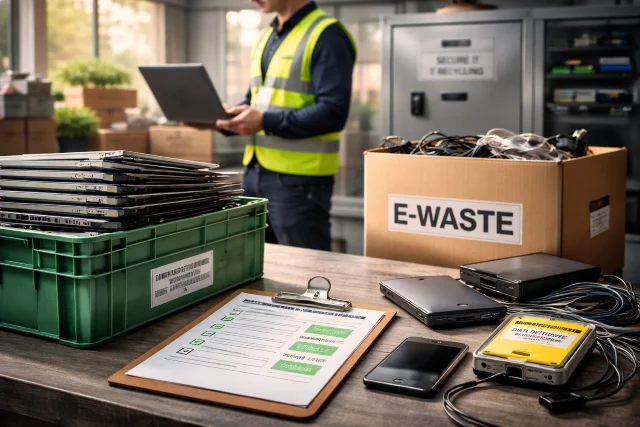
If your office has a cupboard full of old laptops, a few retired servers, and a box of random cables that nobody claims, you are not alone. Most companies do not “plan” to stockpile devices. It happens quietly, refresh cycle after refresh cycle, until one day someone asks a scary question: What’s on those hard drives?
- Why IT Recycling Is a Business Issue, Not Just a Green One
- What Counts as IT Recycling in a Company?
- The Risk Side: Where Companies Get Burned
- The E-Waste Side: What Responsible IT Recycling Actually Achieves
- Data Sanitization 101: Clear, Purge, Destroy (In Plain English)
- A Simple Decision Table Businesses Can Use
- How Companies Use IT Recycling to Cut Costs (Yes, Really)
- Compliance and Governance: What Documentation You Should Expect
- What to Look For in an IT Recycling Vendor
- Step-by-Step: A Business-Friendly IT Recycling Workflow
- Practical Scenarios: What “Good” Looks Like
- FAQs About IT Recycling for Companies
- Conclusion
That is where IT Recycling stops being a nice environmental idea and becomes a serious business move. Done right, it reduces data breach risk, supports compliance, improves ESG reporting, and keeps valuable materials out of landfills. Done wrong, it can expose customer records, employee data, and intellectual property.
This guide explains how companies use IT Recycling to cut risk and reduce e-waste, without turning the process into a confusing IT project.
Why IT Recycling Is a Business Issue, Not Just a Green One
Let’s talk about the two costs businesses feel immediately.
First, security. End-of-life devices often contain:
- Customer data
- Employee records
- Saved passwords and tokens
- Financial documents
- Internal emails
- Product roadmaps and source code
Second, liability. Regulations and contracts increasingly require organizations to prove they handled data and equipment responsibly. Even if the law in your location is vague, your clients may not be. Vendor agreements often include security clauses that hold you accountable.
Now add the bigger global picture. The UN’s Global E-waste Monitor 2024 reports the world generated 62 million tonnes of e-waste in 2022, with only 22.3% documented as properly collected and recycled. It also highlights massive resource value being lost when devices are not recycled through proper systems.
So yes, this is about the planet. But for business, it’s also about risk management and governance.
What Counts as IT Recycling in a Company?
In business settings, IT Recycling usually sits inside a broader process called IT Asset Disposition (ITAD). Think of ITAD as the full lifecycle exit plan for devices, and IT Recycling as a major part of it.
Typical assets include:
- Laptops, desktops, monitors
- Servers, storage arrays, network switches
- Mobile phones and tablets
- Printers and scanners
- Hard drives, SSDs, backup tapes
- Chargers, docking stations, peripherals
A proper IT Recycling workflow usually covers:
- Asset collection and inventory
- Data sanitization (wipe, purge, or destroy)
- Testing and refurbishing (if reuse is possible)
- Recycling of non-reusable parts
- Documentation for audits and ESG reporting
The Risk Side: Where Companies Get Burned
Most IT Recycling horror stories come from one of these mistakes.
Mistake 1: Treating “factory reset” as data destruction
A factory reset may remove references to files, but it does not always make recovery infeasible, especially depending on device type and storage technology. Businesses should rely on recognized sanitization guidance, not guesswork.
NIST’s media sanitization guidance (SP 800-88 Rev. 1) explains the concept of rendering data recovery infeasible and lays out decision-making for different confidentiality levels and media types.
Mistake 2: Losing chain of custody
If you cannot confidently answer “where was this device at every step,” you are exposed. Chain of custody is not just paperwork. It is how you prevent a missing laptop from becoming a future breach.
Mistake 3: Letting random departments “donate” devices
Good intention, bad execution. Without approved processes, you risk sending devices out with sensitive data still inside.
The U.S. EPA emphasizes recycling electronics safely and correctly, including the importance of secure handling.
Mistake 4: Picking a vendor based only on price
Cheap pickups can turn expensive later if you cannot get reporting, certificates, or proof of proper recycling and data handling.
The E-Waste Side: What Responsible IT Recycling Actually Achieves
Companies often underestimate how much impact they can make by simply not dumping devices into informal channels.
According to the Global E-waste Monitor 2024 press coverage, e-waste is rising much faster than documented recycling, and valuable recoverable resources are being lost when the chain is not formal and accountable.
When businesses recycle properly, they help:
- Recover metals and materials for reuse
- Reduce demand for virgin mining and extraction
- Avoid pollution linked to improper dumping or informal processing
EPA also notes that electronics donation and recycling conserves resources and should be done safely and correctly.
Data Sanitization 101: Clear, Purge, Destroy (In Plain English)
This is the part most companies overcomplicate.
NIST SP 800-88 Rev. 1 is widely referenced for media sanitization approaches and decision-making.
Here’s the practical breakdown:
Clear
- Logical techniques to sanitize data so it cannot be recovered through standard system functions.
- Often used when devices stay inside the organization.
Purge
- Stronger than Clear.
- Uses methods like cryptographic erase or other techniques designed to make recovery infeasible even with advanced lab methods (depending on the media and method).
Destroy
- Physical destruction so the media cannot be used again.
- Often used for highly sensitive data or damaged devices where wiping is not reliable.
A key point NIST makes is that Purge (and sometimes Clear) can be more appropriate than Destroy when you consider environmental concerns and the desire to reuse media, depending on the situation.
A Simple Decision Table Businesses Can Use
| Asset type | Typical business approach | Why |
|---|---|---|
| Employee laptops | Purge or verified wipe, then refurbish or recycle | Reduces breach risk while allowing reuse value |
| Servers and storage | Purge plus detailed reporting, sometimes Destroy for high-risk drives | Higher concentration of sensitive data |
| Mobile devices | Purge or secure wipe with verification | Tokens, email, MFA apps, photos, files |
| Backup tapes | Often Destroy depending on sensitivity | Hard to verify sanitation and often legacy |
| Broken drives | Destroy | Wipe may be impossible or unreliable |
The right answer depends on your risk profile, data classification, and regulatory or contractual obligations, but the process should never be “we hope it’s fine.”
How Companies Use IT Recycling to Cut Costs (Yes, Really)
IT Recycling is often framed as a cost center. In smart organizations, it becomes a value recovery lane.
1) Remarketing and refurbishment
If devices still have useful life, many ITAD programs refurbish and resell them. Even when resale value is modest, it can offset recycling and logistics costs.
2) Reduced storage and admin burden
That “device graveyard” takes space, time, and tracking. A scheduled IT Recycling program clears clutter and reduces internal handling.
3) Lower incident probability
A single data incident can cost far more than a professional recycling program. Even without quoting a specific dollar amount, the risk math is obvious: prevention is cheaper than response.
Compliance and Governance: What Documentation You Should Expect
If your IT Recycling process is mature, you should be able to produce documentation that answers basic audit questions quickly.
Expect:
- Inventory list of collected assets (serial numbers, models, quantities)
- Chain of custody records
- Data sanitization certificates or destruction certificates
- Downstream recycling documentation (where materials went)
- Summary reports for ESG and internal governance
This is also where certifications can matter.
What to Look For in an IT Recycling Vendor
You do not need a 40-point checklist to start, but you do need to ask the right questions.
Vendor must-haves
- Secure transport and controlled handling
- Clear chain of custody process
- Sanitization aligned with recognized guidance (commonly NIST-based practices)
- Reporting that matches your audit needs
- Transparent downstream partners
Certifications and standards (a quick note)
Many ITAD providers highlight third-party standards like R2 (Responsible Recycling). The most current version is often referenced as R2v3, developed by SERI, and positioned as a standard focused on responsible processing of used electronics with emphasis on data and environmental practices.
Do not treat a logo as proof by itself. Ask what their certification scope covers and whether it matches the services you actually need.
Step-by-Step: A Business-Friendly IT Recycling Workflow
Here is a workflow you can implement without chaos.
Step 1: Create a clear internal policy
Keep it short and practical:
- Who is allowed to request disposal
- Where assets are stored before pickup
- What must be recorded (serial number, owner department, condition)
- Who approves final disposition
Step 2: Do an asset sweep
Start with:
- IT storage rooms
- Finance storage (old leased gear)
- Remote worker returns
- Server closets
- Marketing and design teams (often have older high-spec devices)
Step 3: Classify assets by risk
A simple three-level system works:
- High sensitivity (servers, storage, finance devices)
- Medium sensitivity (employee laptops)
- Low sensitivity (monitors, keyboards, non-storage items)
Step 4: Choose sanitization approach
Use Clear, Purge, or Destroy based on risk and media type, aligning with recognized sanitization decision frameworks.
Step 5: Require verification
A wipe that is not verified is basically a promise. Get verification logs or certificates.
Step 6: Close the loop with reporting
Make sure you get:
- Final disposition summary
- Certificates
- Any value recovery details
Practical Scenarios: What “Good” Looks Like
Scenario A: 80 laptops from a refresh cycle
A good IT Recycling outcome:
- Laptops inventoried by serial
- Verified wipe or purge
- Devices graded and refurbished where possible
- Remaining units responsibly recycled
- Company receives documentation for each stage
Scenario B: Retiring a small on-prem server
A good outcome:
- Drives assessed for sensitivity
- Purge with strong verification, or physical destruction for high-risk drives
- Server components recycled through formal channels
- Chain of custody and certificates stored with IT governance docs
Scenario C: Remote staff returns
A good outcome:
- A simple return kit and clear instructions
- Devices tracked from shipping to receipt
- Sanitization performed consistently
- No ad hoc “employee keeps it” decisions without approval
FAQs About IT Recycling for Companies
Is IT Recycling the same as throwing devices into e-waste bins?
No. Business IT Recycling should include inventory, chain of custody, and verified data sanitization, not just physical disposal.
Do we need to destroy every hard drive?
Not always. Sanitization decisions depend on media type, confidentiality, and reuse goals. NIST’s guidance discusses balancing sanitization approaches and even notes situations where Purge or Clear can be more appropriate than Destroy when reuse and environmental concerns are considered.
What’s the biggest business benefit?
Risk reduction. Proper IT Recycling reduces the chance that sensitive data leaves your control, while also supporting sustainability goals.
How often should we run an IT Recycling program?
Most companies do best with a quarterly or biannual cycle, plus an “as needed” path for broken devices and urgent terminations.
Conclusion
A strong IT Recycling program is not about being perfect. It is about being consistent, documented, and realistic. When companies treat end-of-life IT as a controlled process, they cut security risk, improve compliance posture, and reduce the e-waste footprint that is growing globally. The Global E-waste Monitor 2024 makes it clear the world is producing record levels of e-waste while documented recycling remains far behind.
If you want one simple mindset shift, it’s this: your old devices are still business assets until they are properly sanitized and dispositioned. Handle them with the same seriousness you give to onboarding, access control, and incident response.
And for companies building long-term sustainability strategy, IT Recycling fits naturally into the broader idea of a circular economy where materials stay in use longer and waste is designed out.